Start an inventory before rearranging folders
When someone says “we have about 500 contracts,” ask what they counted. A signed master agreement, two amendments and three copies of the signature packet can generate six search results for one relationship. Give each source file its own row. Assign related rows a shared family ID, and reserve a separate field for the signed document each row changes or supports.
- Pick a batch that matters. Ask procurement for active suppliers with decisions due next quarter. Include one supplier with an amendment so the test exercises a real exception.
- Ask the people who hold the files. Finance may have the executed order, legal the master agreement and a former account owner the signed amendment. Have an authorized mailbox custodian search by both parties’ legal names, former names and signing-service messages. Keep the source mailbox or folder and the original filename.
- Identify restricted material. Record which roles have a business need for pricing, employee terms and negotiation history before copying anything. Keep items under a preservation hold available under the organization’s retention process.
Download the contract migration inventory (Excel). Five fictional source files show how to record a parent agreement, a duplicate and an unresolved attachment. Replace them with your own rows.
Which file belongs in the active agreement record?
Check the parties, execution evidence and effective language. A later upload date identifies the upload. The contract and any executed changes determine which terms staff should use. An older master can still govern nearly everything while a short amendment changes a single notice period.
| What you find | What the reviewer does |
|---|---|
| Executed agreement | Keep the original and signing evidence. Record its family ID and source location. |
| Signed amendment or order | Read the document it names and when its changes take effect. Link the signed file and record exactly which term or order it changes. |
| Apparent duplicate | Compare the complete files, including signature pages and exhibits. Matching file contents can establish an exact copy. Preserve any separate delivery or signing evidence from the email. |
| Unsigned draft or missing exhibit | Keep the original in the appropriate restricted location. Ask the relationship owner for the signed or incorporated document and flag any date that depends on it. |
Version history can help trace changes to a file. In Google Drive, PDFs and Word files have a different version workflow from native Google Docs. Keep the relevant historical version with its origin if that is where the signed agreement was filed. Google Drive’s guide to file versions.
- Collect
Pull signed files, amendments, and key correspondence for one set of active agreements.
- Confirm
Find the governing document and resolve any duplicate records or unclear versions.
- Connect
Record the next deadline and owner and link the documents that support it.
- Test retrieval
Ask a colleague to find the right signed version and the next action using their normal access.
3. Capture the details people need next
For each agreement, identify the parties, business owner, effective and expiration dates, renewal terms, and important commitments where they apply. Distinguish an expiration date from an earlier deadline for giving notice. Capture the source wording or page reference so another person can verify the entry.
Assign a person to review each record. Automated extraction can propose details, but someone should check the original before relying on the result. Read our guide to renewal and notice deadlines for a practical example.
How one signed amendment settled a dispute between two “finals”
Fictional case. Elm Harbor Design has a signed cleaning agreement with Juniper Facilities. The drive contains a Word file named FINAL and a signed PDF. Procurement finds an identical copy of the PDF in email, a countersigned amendment and an unsigned service schedule. The master requires 60 calendar days’ notice. The amendment expressly replaces this with 90 days for the next renewal. The schedule proposes a different fee.
The administrator saves the executed master and links the amendment to it. They record the exact amendment paragraph beside the revised notice term. They label the matching emailed PDF as a duplicate, retain its transmittal, and ask the contract owner to locate an executed fee schedule. Finance keeps the fee question open. Counsel resolves any conflict about incorporation or precedence before the team relies on the proposed price.
Read the amendment’s scope, effective date and affected renewal. Follow the branch your source documents support.
- Signed and effective for this renewal
Enter the changed term and cite both the amendment paragraph and the provision it replaces. Recheck the existing reminders.
- Effective for a later renewal
Keep the term that applies now. Record the future change and assign someone to verify it before the later notice window opens.
- Execution, scope or precedence unclear
Log the competing wording and both source files. Give the question to the contract owner and counsel. Schedule an internal review before the earliest plausible deadline while the issue is open.
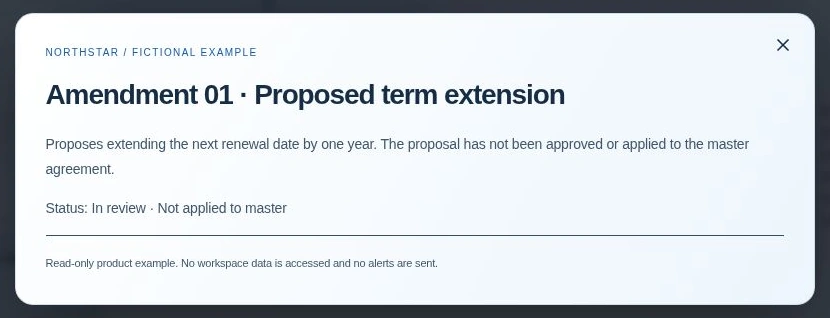
In ContraxAware Batch Import & Onboarding, review proposed details against the source before saving the record. For an amendment, check the relationship to the signed master. A proposed change and an applied change are separate states.
4. Give the collection a home
Use a consistent naming convention and a shared location with appropriate access. A searchable contract workspace can keep the document, owner, important dates, and related agreements together. Decide who can edit records and who should be notified when a deadline approaches.
With contract import, teams can bring existing PDF and Word agreements into ContraxAware, review proposed details, and keep the original with the record. Start with a manageable group, correct the results, and improve your process before expanding.
A central contract repository migration checklist
Before moving a group of contracts, check that the information will remain understandable to the next person:
- Current document: identify the signed agreement and preserve earlier drafts as separate versions or supporting records.
- Related wording: gather amendments, schedules and statements of work and check how they relate to the main agreement.
- Searchable context: record the counterparty, agreement type, owner and business purpose using consistent labels.
- Verified dates: distinguish the term end from an earlier notice deadline and keep a reference to the source clause.
- People and access: confirm who owns the agreement and which colleagues need permission to work with it.
- Next action: assign the review, decision or obligation and check who should receive the reminder.
Test a small group before importing the rest. Have an authorized colleague find a current contract, open its amendment and identify its next action without relying on your explanation.
Explore ContraxAware’s centralized contract repository software to see how documents, owners and follow-up fit together. You can test it with your own agreements during a 14-day free trial with no credit card required.
Reconcile source files and test the handoff
Count each intake row once. In the five-file example, two documents belong in the executed family, one is an exact duplicate, one is a draft and one needs follow-up. Five source files accounted for. Record the destination reference or the person investigating each row. A lower count of destination records can be correct when duplicates share a record.
Give a procurement colleague their ordinary access and the supplier name. Ask them to retrieve the signed master, point to the amendment paragraph, identify the business owner and explain the next action. An administrator should separately check the restricted access rules with authorized test accounts. Resolve differences before expanding to the next batch. Use the source-clause verification guide if a deadline depends on a document still missing.
Frequently asked questions
How should we deal with several files called final?
Compare the signature pages, agreement dates, and records of signing or delivery. Record which version governs and keep any useful drafts clearly marked.
Which contracts should we move first?
Start with active agreements that have a decision or obligation coming up. Give priority to records staff currently struggle to locate or understand.
What should we check before moving contracts out of a shared drive?
Confirm who can access the destination, how records stay linked to amendments, and how staff can retrieve or export originals. Keep existing records available under your retention process during the move.