01
Give the request a clear starting point
The first contract conversation often starts before there is a document. A colleague needs a supplier agreement, wants legal to review customer wording, or has a signed copy that needs tracking. Those situations should not all be treated as a blank drafting task.
Contract Portal gives colleagues a guided place to request work and follow progress. Capture the agreement type, business context, and the information your contract team needs. Choose whether the request involves existing wording or a company agreement that still needs to be prepared.
02
Use a Word template for company paper
Contract templates help your team begin from established wording instead of assembling the same agreement again. Use your Word template and the contract form to capture the values that belong in the document. Keep business information with the record as the draft develops.
A template is a starting point, not permission to skip review. Check names, commercial details, dates, and any special terms before sending the agreement onward. Where fields are linked to the document, confirm the resulting wording as well as the values entered in the form.
03
Give existing documents their own route
An incoming customer draft needs a different next step from a fully signed agreement. Upload PDF or Word documents and review the proposed contract details beside the original. Identify whether the copy is a draft, agreed wording, already signed, or historical.
Importing a file does not approve or sign it. A reviewed draft can proceed through internal approval or external review. A signed original can move toward activation requirements and ongoing management, with dates and obligations checked against its actual terms.
04
Connect creation to review
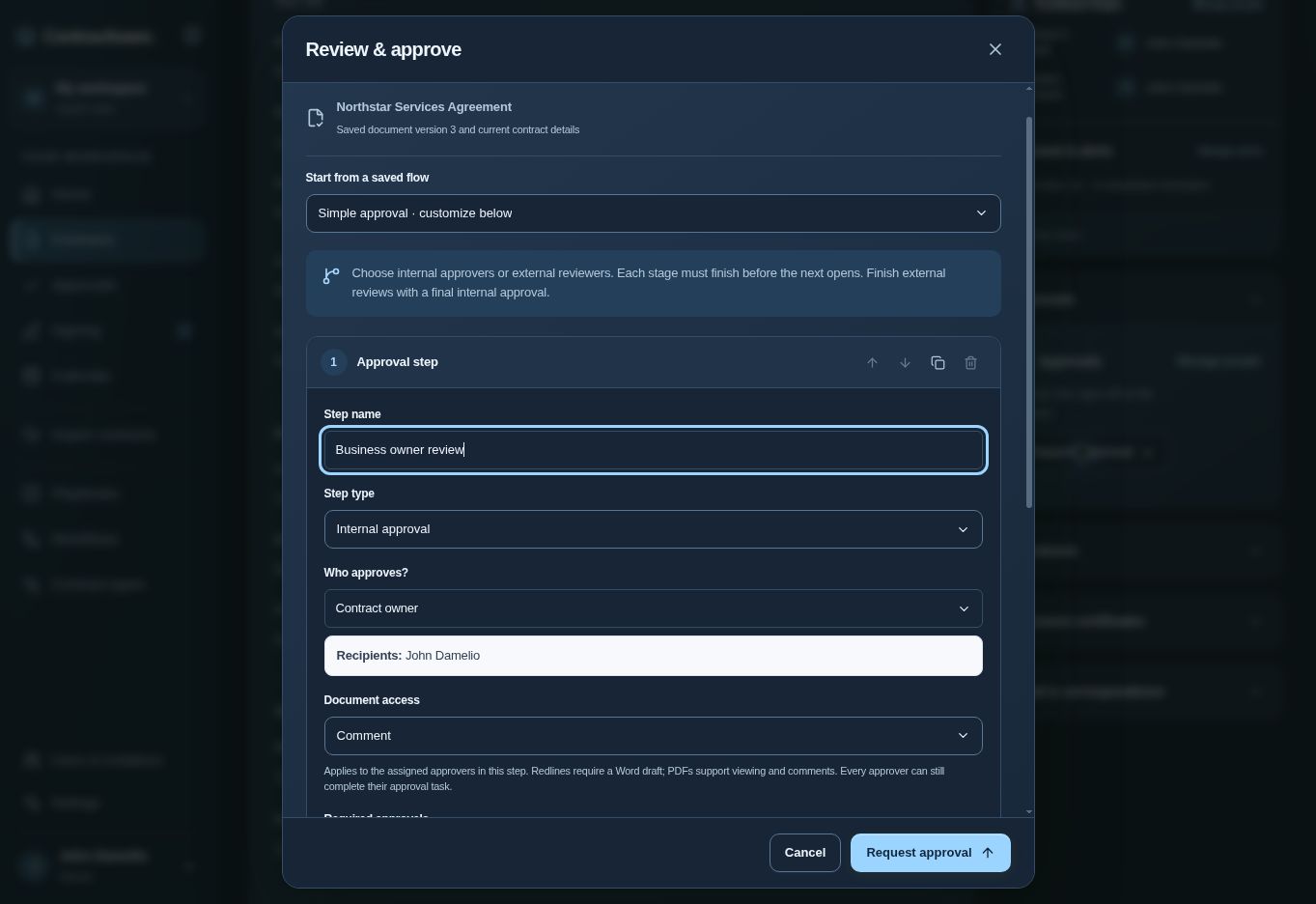
Once a draft is ready, choose the people who need to review it. Approval routes can contain internal review, external review, and final internal approval. Set the document access and approval rule for each stage rather than relying on an untracked email attachment.
Keep the saved version visible throughout the handoff. If adopted changes create a new document version, obtain fresh approval for the wording that will be signed. Clear intake, reusable templates, and deliberate review give the next person a more complete starting point.
Questions about contract intake & templates
Can we use our own Word templates?
Yes. Start company agreements from Word templates and review the document alongside its contract details.
Can colleagues request a contract?
Contract Portal provides guided requests and progress visibility according to the access assigned in the workspace.
Does creating a draft send it for signature?
No. Review, approval, and signature preparation are separate steps.